

- Companies lose up to 30% of annual revenue due to poor time management and missed deadlines.
- Over 70% of professional service firms admit they have lost clients because work was not delivered on time.
- Firms using project management software see a project success rate increase of 35%.
- Visual boards and automated reminders help reduce task confusion by 40%.
- Shared calendars decrease scheduling conflicts by up to 50%.
- Automated reminders help teams remember important meetings and milestones, improving punctuality by 30%.
- Over 60% of professional services firms track contract renewals manually, leading to frequent oversights.
- Automated expiry reminders help companies avoid penalties, legal fees, and compliance issues that can cost thousands annually.
- Firms using time-tracking tools experience a 20–25% increase in billable hours.
- Tracking workload reduces project delays caused by overbooking by 32%.
- Automation tools cut manual administrative work by up to 60%.
- Automated alerts ensure tasks move forward on time, reducing human error by 45%.
- Faster communication results in quicker approvals and reduces deadline delays by 20%.
Professional services firms operate in a high-pressure environment where time is directly connected to performance and client satisfaction. Whether it is a consulting project, legal case filing, audit report, IT deployment, or marketing campaign, every task is tied to strict deadlines.
Unlike product-based businesses, service firms sell time, expertise, and delivery quality. This makes deadline management a core part of business success. Even a small delay can create a chain reaction, affecting multiple clients, teams, and financial outcomes.
In many firms, deadlines are still tracked using emails, spreadsheets, or manual reminders. This approach often fails when workload increases or when teams are distributed across different locations.
That is why modern digital tools have become essential. These tools help organizations plan better, track progress in real time, and ensure that every deadline is met with accuracy.
Document & Contract Reminder Tools
Professional services firms manage a lot of documents-client contracts, vendor agreements, certifications, staff licenses, insurance documents, compliance forms, and proposals. Missing a renewal or expiry date can create legal or financial trouble.
This is where dedicated reminder tools are invaluable.
Tool Example: Remindax
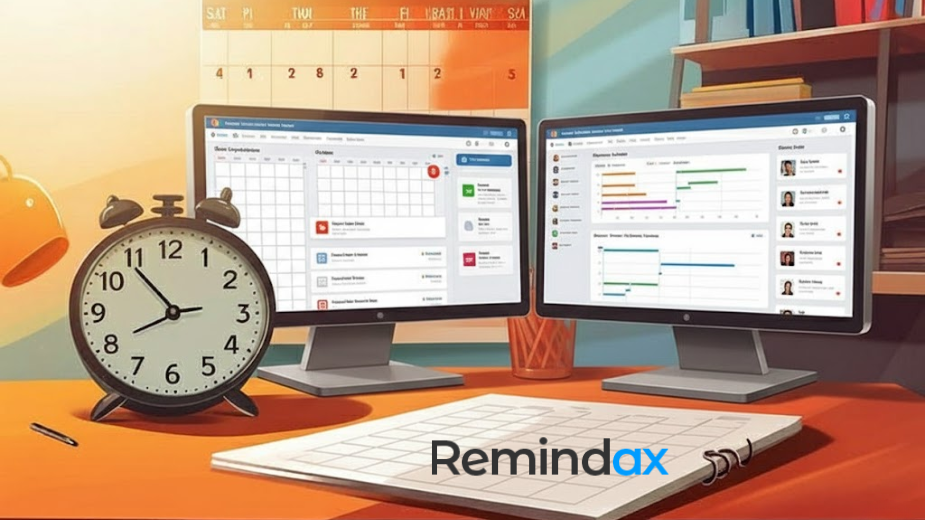
Remindax is designed specifically to track expiry dates, renewal deadlines, and important document-related reminders. It helps businesses stay compliant and organized by sending automated alerts before deadlines arrive.
Key Features of Remindax
- Automated reminders via email
- Centralized document expiry tracking
- Customizable alert schedules
- Dashboard for all upcoming deadlines
- Easy document upload and management
Benefits
- No more manual tracking in spreadsheets
- Reduced risk of missing compliance deadlines
- Better client service with timely renewals
- Greater peace of mind for managers
For firms that deal with multiple contracts or time-sensitive documents, a tool like Remindax is essential.
Importance of Deadline Management in Professional Services
Deadline management is more than just completing tasks on time. In professional services, it is a core part of building a reliable, efficient, and scalable business system. When managed properly, deadlines improve client satisfaction, internal coordination, and overall profitability.
1. Trust and Client Retention
Clients judge service quality not only by results but also by consistency and reliability.
When firms manage deadlines effectively:
- Clients receive work exactly when promised
- Expectations are met without repeated delays
- Communication becomes smoother and more predictable
Over time, this builds strong trust. Trusted firms are more likely to:
- Retain long-term clients
- Receive repeat business
- Gain referrals through positive word-of-mouth
In professional services, trust is often more valuable than pricing.
2. Internal Workflow Stability
A structured deadline system brings order to daily operations.
With proper management:
- Teams clearly understand what needs to be done and when
- Workloads are better distributed across departments
- Last-minute rushes and confusion are reduced
This creates a stable working environment where employees can focus on quality instead of reacting to emergencies. As a result, productivity increases and stress levels decrease.
3. Profitability and Cost Control
Missed or poorly managed deadlines often lead to hidden costs.
These may include:
- Overtime payments to complete delayed work
- Additional resources to fix rushed or incomplete tasks
- Penalties for late delivery in client contracts
- Loss of revenue due to inefficiencies
Effective deadline management helps firms:
- Reduce unnecessary operational costs
- Improve resource utilization
- Deliver projects within budget
This directly improves overall profitability.
4. Competitive Advantage in the Market
In competitive industries, reliability is a strong differentiator.
Firms that consistently meet deadlines:
- Build a reputation for dependability
- Stand out from competitors who struggle with delays
- Gain stronger client confidence during bidding and proposals
Over time, this reliability becomes a key selling point. Clients often prefer a dependable firm over a cheaper but unreliable one.
Why Deadlines Are Commonly Missed
Even highly organized firms struggle with meeting deadlines consistently. This is usually not because teams are careless, but because of operational gaps, communication issues, and lack of proper systems. Below are the most common reasons in detail.
1. Fragmented Communication
In many firms, communication happens across multiple platforms such as email, WhatsApp, meetings, and internal chats.
This creates problems like:
- Important deadline updates getting lost in messages
- Teams missing critical instructions due to scattered information
- Confusion about which version of a task or timeline is correct
When communication is not centralized, teams spend more time searching for information than actually completing work, which leads to delays.
2. Lack of a Central Tracking System
Many organizations still do not use a single platform to manage all tasks and deadlines.
As a result:
- Managers cannot see overall project progress clearly
- Tasks are tracked in spreadsheets, emails, or personal notes
- It becomes difficult to identify bottlenecks early
Without a central system, visibility is lost, and small delays turn into major deadline failures.
3. Over-Reliance on Human Memory
A common issue in traditional workflows is dependency on manual reminders.
This creates risks such as:
- Employees forgetting important tasks
- Managers missing follow-ups
- No automatic alerts for upcoming deadlines
Since humans can make mistakes, relying only on memory or manual tracking significantly increases the chances of missed deadlines.
4. Frequent Changes in Client Requirements
In service-based industries, client needs often change during the project lifecycle.
This leads to:
- Rework on already completed tasks
- Shifting priorities and timelines
- Confusion about updated deadlines
If changes are not properly tracked and communicated, they can quickly disrupt the entire schedule.
5. Poor Resource Allocation and Planning
Another major reason for missed deadlines is improper use of available resources.
This happens when:
- The right team members are not assigned to the right tasks
- Workload is unevenly distributed
- Critical skills are not available at the required time
Without proper planning, even simple tasks can get delayed due to lack of capacity or expertise.
Core Tools That Help Avoid Missed Deadlines
To solve these challenges, firms use several categories of tools that work together as a complete system.
1. Task Management Systems (Deeper Insight)
Task management tools are the starting point for structured work execution.
Advanced Features:
- Sub-task creation for complex work
- Task dependencies (one task starts after another ends)
- Progress status tracking (To Do, In Progress, Completed)
- Tagging and categorization by client or department
- Automated assignment rules
Real-World Use:
A consulting firm can break a single project into 50+ small tasks, assign them to different team members, and track each step in real time.
Impact:
This reduces confusion and ensures that no part of a project is forgotten.
Advanced Project Management Platforms
Project management systems provide a full overview of business operations.
Deeper Capabilities:
- Resource planning across multiple projects
- Risk tracking and alerts
- Budget vs actual comparison
- Client-specific dashboards
- Timeline simulation and forecasting
Example Scenario:
An IT company managing five software deployments can track all milestones, bugs, testing phases, and delivery timelines in one dashboard.
Key Advantage:
Managers can instantly identify which project is at risk of delay and take action before it becomes a problem.
Smart Calendar Systems
Modern calendar tools go beyond basic scheduling.
Enhanced Functions:
- AI-based scheduling suggestions
- Conflict detection between meetings and tasks
- Integration with CRM and project tools
- Automated reminder escalation (email → mobile → alert)
Business Value:
Calendars act as a daily execution layer, ensuring that deadlines are visible at every moment.
Time Intelligence Tools
Time tracking tools are not just about logging hours anymore. They provide business intelligence.
Advanced Insights:
- Which tasks consume the most time
- Which employees are overloaded
- Productivity trends over weeks or months
- Profitability per project
Practical Example:
If a legal firm notices that contract reviews take longer than expected, they can adjust workload or improve templates.
Strategic Benefit:
Helps firms improve efficiency and pricing models.
Automated Deadline and Compliance Tracking Systems
These systems are designed for critical and repetitive deadlines such as:
- Legal filings
- Certification renewals
- Insurance renewals
- Contract expirations
- Regulatory compliance dates
Advanced Capabilities:
- Multi-layer reminders (30 days, 15 days, 3 days before deadline)
- Role-based alerts (manager, team lead, client)
- Audit trails for compliance tracking
- Centralized document linking
Business Impact:
This ensures that no compliance requirement is ever missed, reducing legal and financial risks significantly.
How These Tools Work Together
The real power comes when all tools are integrated into a single workflow:
- Project is created in a management system
- Tasks are assigned in task management software
- Deadlines are synced with calendars
- Time tracking monitors execution
- Automated systems send alerts for critical dates
This creates a complete ecosystem where nothing depends on memory alone.
Industry-Specific Use Cases
Different industries face different types of deadlines and workflow challenges. While the tools may be the same, how they are used depends on the nature of the business. Below are key use cases across major industries.
1. Legal Firms
Legal work is highly deadline-driven, where even a small delay can create serious consequences.
Common use cases include:
- Court filing deadlines and submission dates
- Contract renewals and legal agreement expirations
- Case milestone tracking (hearings, evidence submission, judgments)
- Client communication deadlines for legal updates
In legal firms, structured tracking ensures that no critical date is missed, helping maintain compliance and case accuracy.
2. Consulting Firms
Consulting companies manage multiple clients and projects at the same time, making deadline tracking very important.
Typical use cases include:
- Client deliverable schedules and submission timelines
- Monthly or weekly reporting deadlines
- Strategy presentation and proposal deadlines
- Project milestone tracking across multiple clients
With proper tracking, consulting firms can improve client satisfaction and deliver work on time without stress.
3. IT Service Providers
IT companies work with fast-moving projects where delays can impact entire systems or clients.
Key use cases include:
- Software release cycles and deployment timelines
- Bug fixing and issue resolution deadlines
- Infrastructure maintenance schedules and updates
- Security patch deadlines and system upgrades
In IT services, automation helps teams respond faster and avoid system downtime or release delays.
4. Accounting Firms
Accounting work is heavily regulated and time-sensitive, especially during tax and audit seasons.
Important use cases include:
- Tax filing deadlines for individuals and businesses
- Audit reporting schedules and submission dates
- Client financial statement preparation timelines
- Regulatory compliance deadlines
Proper deadline tracking ensures accuracy, compliance, and avoids penalties for clients.
Implementation Strategy for Firms
To successfully adopt modern tools for deadline and task management, firms need a clear and structured implementation plan. A step-by-step approach helps avoid confusion, ensures smooth adoption, and improves overall productivity.
Step 1: Identify Key Pain Points Clearly
Before introducing any system, firms should first understand where the real problems are.
Look closely at:
- Where most deadlines are missed
- Which teams face the most delays
- Whether issues come from poor tracking, communication, or workload imbalance
- How often tasks are repeated or forgotten
This step helps organizations focus on real problems instead of guessing. A clear diagnosis leads to better solutions.
Step 2: Select the Right Core Tools
Once problems are identified, the next step is choosing the right tools to solve them.
Start simple:
- One tool for task management (assigning and tracking work)
- One tool for deadline and reminder management
Avoid using too many systems at the beginning. The goal is to build a strong foundation that teams can easily adopt.
Choose tools that are:
- Easy to use
- Scalable for future growth
- Compatible with other software
Step 3: Integrate Systems for Smooth Workflow
After selecting tools, the next important step is integration.
This means connecting systems so they work together instead of separately.
Benefits of integration:
- No duplicate data entry
- Real-time updates across teams
- Better visibility of tasks and deadlines
- Reduced communication gaps
When systems are properly integrated, work becomes faster and more organized.
Step 4: Train Teams for Proper Usage
Even the best tools are useless if employees don’t know how to use them properly.
Firms should invest in proper training sessions such as:
- Step-by-step onboarding programs
- Live demonstrations
- Simple user guides
- Role-based training for different departments
Training ensures that every team member understands:
- How to create tasks
- How to track deadlines
- How to update progress
Well-trained teams adapt faster and make fewer mistakes.
Step 5: Standardize Work Processes
To ensure consistency across the organization, firms must standardize how work is managed.
This includes defining clear rules for:
- Creating new tasks
- Assigning responsibilities
- Setting deadlines
- Updating progress
- Escalating delays
Standardization removes confusion and ensures everyone follows the same workflow. It also improves accountability across departments.
Step 6: Monitor Performance and Improve Continuously
The final step is continuous monitoring and improvement.
Firms should regularly track:
- Task completion speed
- Deadline accuracy
- Frequency of missed deadlines
- Team productivity levels
Use reports and dashboards to measure progress. Based on data, make adjustments such as:
- Improving workflows
- Updating tools or features
- Providing additional training
Continuous monitoring ensures long-term success and keeps operations efficient.
Key Performance Indicators (KPIs)
Firms should measure success using:
- On-time delivery rate
- Average project delay time
- Task completion efficiency
- Client satisfaction scores
- Resource utilization rate
These KPIs help evaluate whether tools are actually improving performance.
Common Mistakes to Avoid
Even with tools, firms sometimes fail due to:
- Not updating task statuses regularly
- Overcomplicating workflows
- Ignoring automation features
- Lack of leadership involvement
- Poor training during onboarding
Avoiding these mistakes is as important as choosing the right software.
Return on Investment (ROI)
Using deadline management tools provides measurable ROI:
- Reduced penalty costs
- Faster project completion
- Better resource utilization
- Increased client retention
- Lower operational stress
Over time, these improvements significantly increase profitability.
Future of Deadline Management
The future is moving toward AI-driven systems that will:
- Predict delays before they happen
- Automatically adjust timelines
- Suggest resource reallocation
- Learn from past project patterns
This will make deadline management more proactive rather than reactive.
Conclusion
Avoiding missed deadlines is one of the most important challenges for professional services firms. With multiple clients and complex projects, manual tracking is no longer enough.
By using modern tools like task managers, project management software, calendar systems, time trackers, and automated reminder platforms, firms can significantly improve their performance.
Solutions like Remindax further enhance efficiency by ensuring that no critical deadline is ever missed.
Ultimately, the right combination of tools helps firms stay organized, deliver on time, and build stronger client relationships, leading to long-term success and growth.
Frequently Asked Questions
1. Why do professional services firms often miss important deadlines?
Professional services firms manage many client projects, documents, and compliance tasks at the same time. When companies rely on spreadsheets, emails, or manual reminders, it becomes easy to forget important dates. Lack of visibility and poor tracking systems are the most common reasons deadlines are missed.
2. What type of tools help prevent missed deadlines?
The best tools are deadline tracking software, automated reminder tools, and project management platforms. These systems allow teams to record important dates, assign tasks, and receive alerts before a deadline arrives. Automation ensures nothing is forgotten.
3. How do automated reminder tools work?
Automated reminder tools allow users to enter important dates such as contract renewals, certification expirations, or project deadlines. The system then sends reminders by email or notifications days or weeks before the deadline. This helps teams take action early instead of reacting at the last minute.
4. Can deadline tracking tools improve team productivity?
Yes. When deadlines are clearly tracked and reminders are automated, teams spend less time checking spreadsheets or sending follow-up emails. This improves efficiency, reduces stress, and allows employees to focus on client work instead of administrative tasks.
5. Are spreadsheets reliable for tracking deadlines?
Spreadsheets can work for very small teams, but they are not reliable for growing businesses. They do not send automatic alerts, and updates often depend on manual work. As the number of projects grows, spreadsheets become difficult to manage and increase the risk of missed deadlines.
6. What features should businesses look for in deadline management tools?
Important features include:
- Automated reminders and notifications
- Centralized deadline tracking
- Easy dashboard for viewing upcoming tasks
- Team collaboration features
- Integration with email or other business systems
These features help teams stay organized and aware of important dates.
7. How do reminder-based tools help professional services firms stay compliant?
Many professional services industries must track licenses, certifications, contracts, and regulatory deadlines. Reminder tools ensure these items are renewed on time. This reduces compliance risks and protects the firm from penalties or service disruptions.
8. Are simple reminder tools better than complex project management systems?
For many firms, yes. Full project management systems can be complicated and require training. Simple reminder-based tools focus only on tracking deadlines and sending alerts, which makes them easier to use and faster to implement.
9. Can deadline tracking software help manage multiple clients?
Yes. Most tools allow companies to organize deadlines by client, project, or department. This makes it easier to monitor many deadlines in one place and ensure every client requirement is handled on time.
10. How does a tool like Remindax help prevent missed deadlines?
Tools like Remindax focus on deadline tracking and automated reminders. Users can store important dates and set multiple alerts such as 30 days, 7 days, or 1 day before a deadline. This ensures teams receive timely notifications and can complete tasks before the due date.









