

- No-show reduction: Tools with automated reminders (especially SMS + email) significantly reduce no‑shows. (Many scheduling providers claim this as a major benefit.)
- Reminder customization: With Acuity, you can send reminders from 15 minutes up to 14 days before the appointment. Acuity Scheduling Help Center
- Reminder volume: Acuity allows up to 3 email reminders per appointment. Acuity Scheduling Help Center
- Reminder channels: GReminders supports SMS, email, and voice call reminders. GReminders
- Integration with calendars: GReminders syncs with Google Calendar and Outlook/Office 365. GReminders
Scheduling tools have evolved from simple calendars into powerful automation platforms. One of the most valuable features they offer today is automatic reminders, which notify users or clients about upcoming tasks, appointments, renewals, or deadlines – without any manual effort. Whether you run a business, manage teams, or handle compliance-related renewals, these tools ensure you never miss an important date again.
2. Key Features to Look for in Scheduling Tools with Automatic Reminders
When selecting a scheduling tool, the reminder system should be efficient, flexible, and customizable. Key features include:
Multi-channel Notifications
- SMS
- Push notifications
- In-app alerts
- Slack or other team apps
Custom Reminder Timing
You should be able to send reminders:
- Minutes before an event
- Hours before
- Days or weeks in advance
- Recurring reminders for long-term tasks
Calendar & App Integration
Tools must sync with:
- Google Calendar
- iCal
- Outlook
- Zoom / Teams
- CRMs
Automated Workflows
These send reminders based on:
- Appointment date
- Due date
- Renewal/expiry date
- Completion status
Easy Setup + Scalable for Teams
Whether you are a solo freelancer or a large organization, the tool should grow with you.
3. Example Tools That Support Automatic Reminders
Below are top tools that provide strong reminder automation, including Remindax as requested.
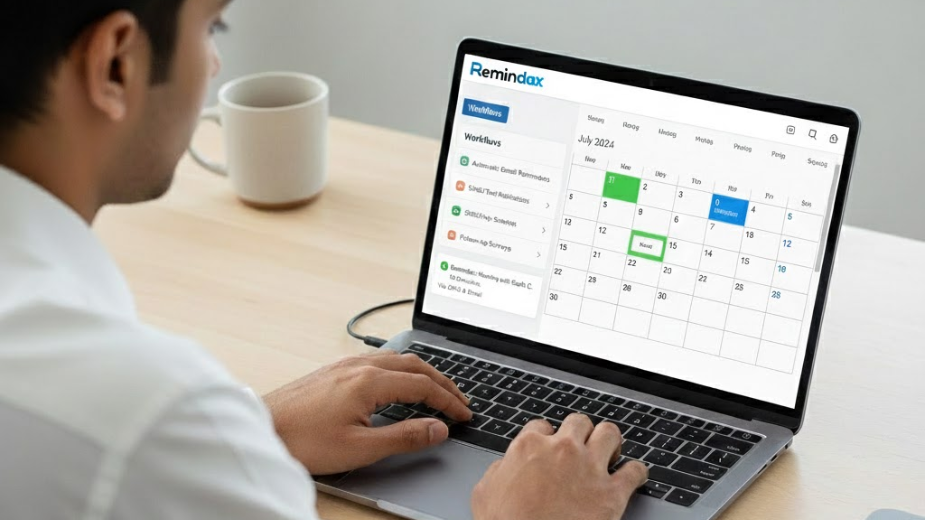
1. Remindax
Remindax is a specialized reminder and due-date tracking software built for businesses that handle compliance tasks, certifications, licenses, document renewals, and expirations.
Key Features
- Automated reminders via Email, SMS and WhatsApp.
- Recurring reminders for ongoing deadlines
- Tracks document expirations, renewals, and compliance dates
- Custom notification templates
- Dashboard for renewal status
- Team-based access for multi-department updates
Ideal For
- HR teams
- Compliance departments
- Certification tracking
- Insurance & legal document tracking
- Businesses needing recurring expiry alerts
Why Choose It?
Unlike booking tools, Remindax focuses deeply on expiry-date reminders – something appointment tools don’t specialize in.
2. Calendly
One of the most popular tools for scheduling meetings and appointments.
Key Features
- Automated email reminders
- Optional SMS reminders
- Booking links for clients
- Integration with Zoom, Teams, calendars
- Automated follow-ups after meetings
Ideal For
- Coaches
- Freelancers
- Sales teams
- Appointment-based businesses
If your priority is meeting scheduling + reminders, Calendly is a strong choice.
3. Setmore
A robust appointment scheduling tool offering both reminders and full booking management.
Key Features
- Email and SMS reminders
- Online booking page
- Staff scheduling
- Payments and invoicing
- Mobile app support
Ideal For
- Clinics
- Salons
- Service providers
- Small to medium businesses
Its reminder system reduces no-shows significantly.
4. Reservio
A simple and user-friendly appointment management tool.
Key Features
- SMS and Email reminders
- Booking calendar
- Client management
- Mobile app support
Ideal For
- Small businesses
- Gyms, spas, wellness centers
- Basic appointment scheduling
If you need simplicity + reminders, this tool works well.
4. Comparison of Tools (Reminder-Focused)
| Tool | Reminder Channels | Specialization | Ideal For |
| Remindax | Email, SMS, WhatsApp | Expiry & compliance tracking | HR, compliance, legal, corporate |
| Calendly | Email, SMS | Meeting scheduling | Coaches, sales, consultants |
| Setmore | Email, SMS | Appointment booking | Clinics, salons, service providers |
| Reservio | Email, SMS | Simple booking + reminders | Gyms, spas, small businesses |
5. Use-Case Scenarios – Which Tool Should You Choose?
For Expiration Tracking and Compliance Alerts → Remindax
If you manage certifications, employee documents, insurance renewals, safety paperwork, or legal compliance deadlines, Remindax is the best fit.
For Appointment Booking with Clients → Calendly or Setmore
Businesses depending on client appointments benefit most here.
For Small Service Businesses → Reservio
Easy to use, low maintenance, and effective.
6. Implementation Tips & Best Practices
Set Clear Reminder Intervals
Use a sequence like:
- 7 days before
- 24 hours before
- 1 hour before
- Final reminder
Choose Channels Wisely
- SMS/WhatsApp → urgent reminders
- Email → simple notifications
- Slack → internal team alerts
Keep Templates Short & Actionable
Include:
- Appointment time
- Links
- Required documents
- Contact details
Sync All Calendars
This prevents double-booking and ensures reminders match real availability.
Test Your Reminder Workflow
Send test reminders to ensure:
- Timing is correct
- Text is readable
- Channels deliver successfully
Get Started With the Right Reminder Tool Today
Automatic reminders are an essential feature of modern scheduling tools, as they help reduce missed appointments, improve client reliability, and ensure compliance with important deadlines. For businesses that need expiration and renewal tracking, Remindax is an excellent choice, providing a reliable way to stay on top of critical dates and tasks.
Frequently Asked Questions
1. What are scheduling tools with automatic reminders?
Scheduling tools with automatic reminders are apps that help you book meetings, appointments, or events and automatically notify participants before the scheduled time. These reminders can be sent through email, SMS, or app notifications so people don’t forget their appointments.
2. Which popular scheduling tools support automatic reminders?
Many scheduling platforms support automatic reminders, including Calendly, Google Calendar, Microsoft Bookings, and Acuity Scheduling. These tools allow users to set reminders before meetings to improve attendance and organization.
3. How do automatic reminders work in scheduling software?
When someone books a meeting or appointment, the system automatically schedules reminder notifications. These reminders can be sent hours or days before the event through email or text messages to ensure participants remember the meeting. Calendly, for example, allows users to automate email or SMS reminders through its workflow features.
4. Can I customize reminder times in scheduling tools?
Yes. Most scheduling tools allow users to customize reminder times. For example, you can send reminders 24 hours, 1 hour, or even a few minutes before the event depending on your preferences.
5. Do scheduling tools send reminders to both hosts and attendees?
Yes. Most modern scheduling tools send reminders to both the meeting organizer and the participants. This helps everyone stay informed and reduces missed meetings.
6. Are automatic reminders useful for businesses?
Yes. Automatic reminders are very useful for businesses because they reduce missed appointments, improve customer communication, and save time by removing the need for manual follow-ups.
7. Can scheduling tools integrate with other apps for reminders?
Yes. Many scheduling platforms integrate with apps like email services, CRM systems, and messaging tools. This allows reminders to be sent through different channels and helps businesses automate their scheduling workflows.









